Skye Brings AI to Your Home Screen
Skye launches an agentic AI home screen for iPhone, replacing static app grids with dynamic, actionable intelligence. Meanwhile, a leaked OpenAI memo intensifies its rivalry with Anthropic, and Meta is reportedly building an AI clone of Mark Zuckerberg.
The rivalry between OpenAI and Anthropic is escalating. In a leaked internal memo, OpenAI accused its competitor of inflating revenue figures and positioning itself as a single-product company in what OpenAI describes as a broader platform war.
OpenAI Calls Out Anthropic in Leaked Memo
A staff memo from OpenAI’s chief revenue officer, Denise Dresser, claims that Anthropic inflated its revenue run rate by roughly $8B. The memo also argues that OpenAI remains better positioned to become the go-to platform for enterprise AI.
Dresser referenced OpenAI’s upcoming model, codenamed “Spud”, and outlined five strategic priorities aimed at strengthening OpenAI’s competitive edge in the enterprise market.
Skye Launches an Agentic AI Home Screen for iPhone
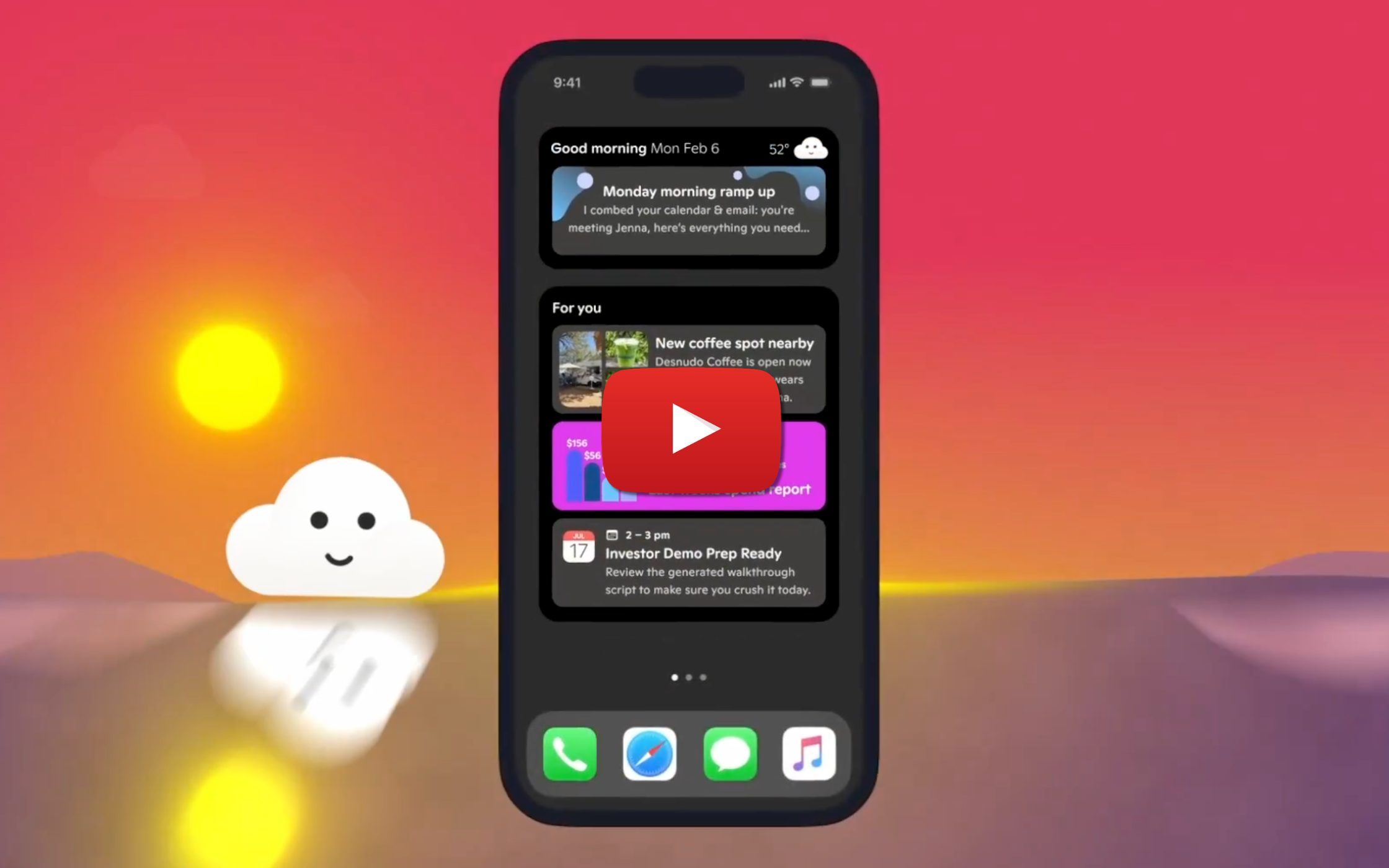
Skye is introducing a new way to interact with your iPhone by replacing the traditional static grid of app icons with a dynamic AI layer.
Instead of manually opening apps, users see continuously updated, context-aware information surfaced directly on their home screen, including:
- Upcoming plans and calendar events
- Health data insights
- Spending trends and financial activity
Skye is also agentic, meaning it can take action on your behalf. From drafting emails and preparing meetings to flagging suspicious charges, it turns the home screen into an interactive AI command center.
Meta Is Reportedly Building an AI Clone of Mark Zuckerberg
Meta is reportedly developing a photorealistic AI clone of CEO Mark Zuckerberg. The system is said to be trained on his mannerisms, public statements, and internal thinking about company strategy.
This effort follows earlier reports that Zuckerberg is working on a separate OpenClaw-like agent designed to help him perform aspects of his job more effectively.
How to Write and Edit Word Documents Faster with Claude
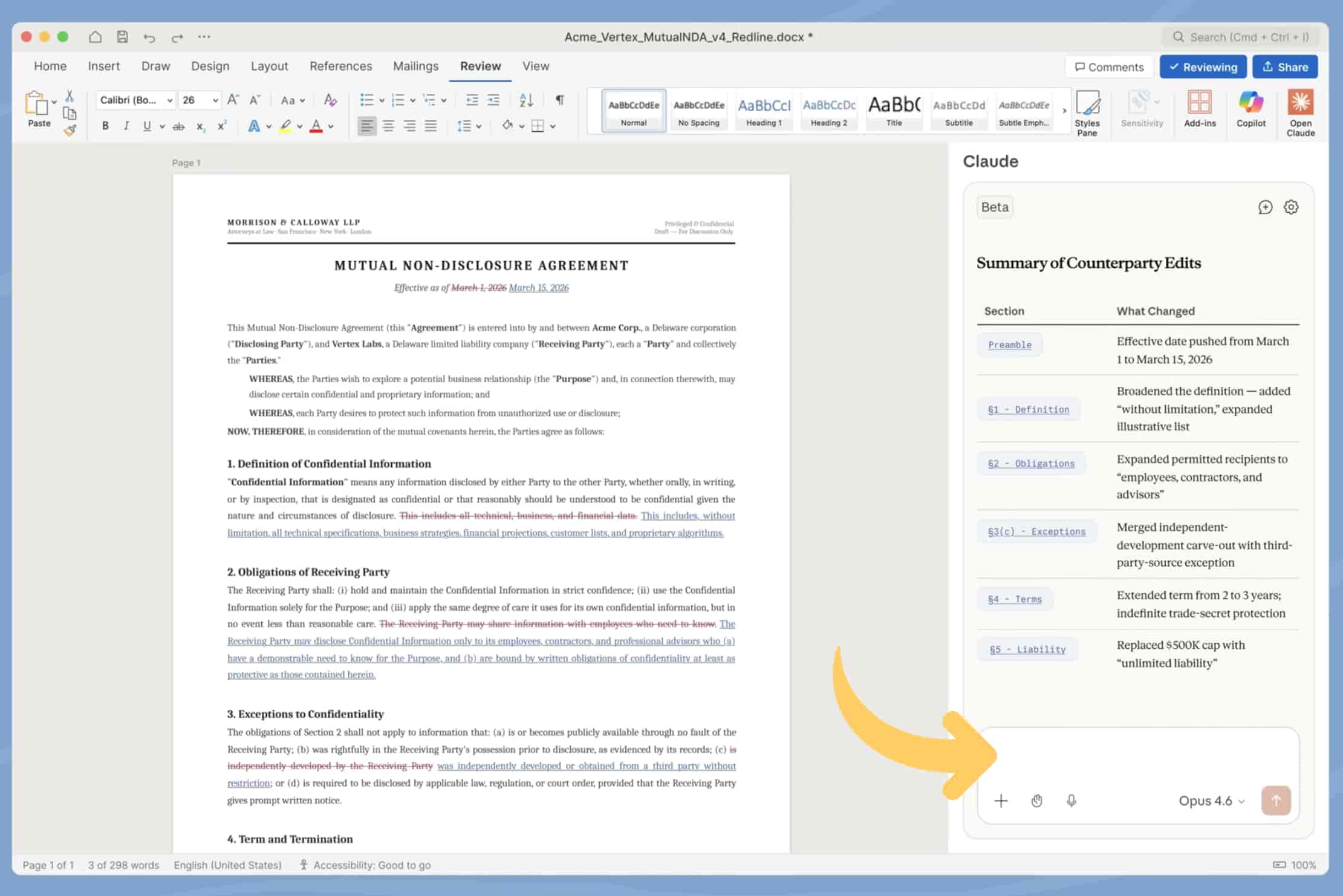
Claude can streamline document editing directly inside Microsoft Word. Here’s how to use it effectively:
- Install Claude for Word and sign in with a Team or Enterprise account that has Claude enabled.
- Open the document you want to edit.
- Launch the Claude sidebar, typically located on the right side of Word.
- Highlight specific text for targeted edits, or leave the document unselected for full-document revisions.
- Enter prompts such as “rewrite this professionally” or “summarize this section.”
- Review suggestions directly within the document.
- Refine tone, length, and clarity through follow-up prompts in the sidebar.
This workflow enables faster drafting, cleaner edits, and more efficient collaboration within enterprise environments.
Trending in AI

- Claude Shortcuts: A viral post highlights 12 keyboard shortcuts that significantly reduce back-and-forth time when working with Claude (3.2M views).
- Anthropic Product Rumor: A widely shared post claims to reveal Anthropic’s next planned product (1.4M views).
- Enterprise AI Trends: Box’s CEO shared nine enterprise AI trends based on recent conversations with industry leaders (1.3M views).
- Claude Code Analysis: Gary Marcus examined Claude Code’s leaked codebase and explained why it feels especially powerful compared to other LLMs.
- GPT Image 2: A Reddit user claims early access to OpenAI’s latest image generator, describing the outputs as strikingly realistic.
Prompt Inspiration: Van Gogh Style Art
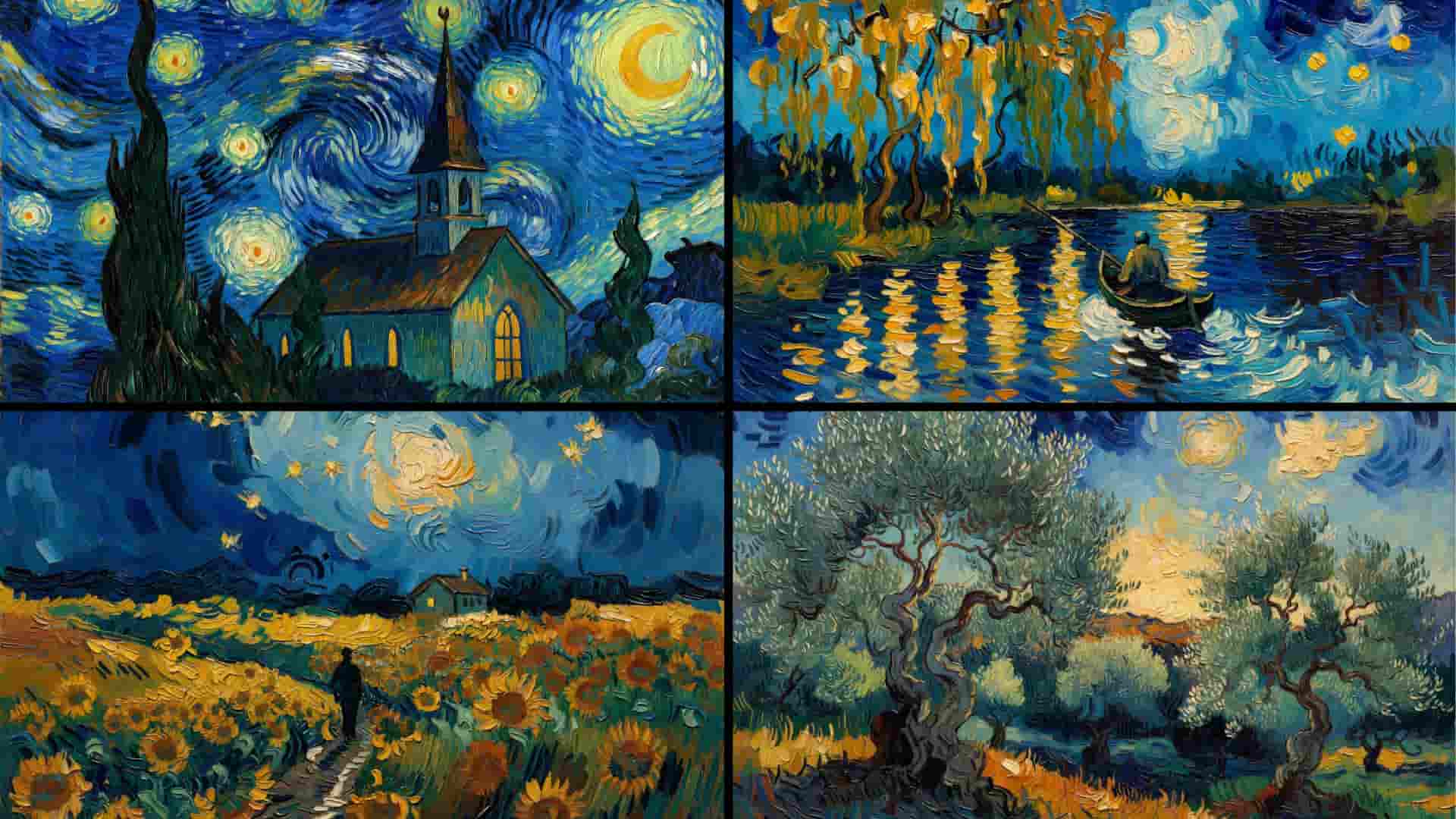
Prompt:
[YOUR SUBJECT HERE], Van Gogh post-impressionist oil painting style brought to life, thick expressive impasto brushstrokes visible across every surface with deep tactile paint texture, signature swirling turbulent sky with dynamic circular energy currents of deep cobalt ultramarine prussian blue and electric yellow-white star bursts, bold confident brushwork direction following every form and surface contour, deeply saturated non-realistic color palette — electric yellow gold emerald green burning orange cobalt blue, visible individual paint strokes of varying thickness building form and light simultaneously, emotional raw energy radiating from every brushstroke, hand-painted canvas texture beneath all elements, objects rendered with expressive distortion and emotional realism rather than photographic accuracy, warm glowing light sources painted with thick impasto halos of swirling yellow-gold paint, dark prussian blue and forest green shadow zones built with layered directional strokes, museum oil painting quality with emotional intensity, 8K ultra sharp detail, 16:9 landscape format, no text no letters no watermarks inside the image.